Software Testing & QA Services for Reliable Digital Products.
Software can work in development and still fail in production.
- Software testing
- QA automation
- CI/CD
- Quality engineering
A release can pass its basic checks and still contain a broken user journey, an integration failure, a performance bottleneck, a security weakness or an accessibility issue.

TalentiFi-X provides full-spectrum software testing and QA services across functional, non-functional, structural and automated testing, helping technology teams identify defects earlier, validate critical workflows and build quality into the software delivery lifecycle.
Quality Cannot Be a Final Checkpoint.
Modern software moves too quickly for testing to happen only at the end of development.
Cloud applications, APIs, mobile experiences, third-party integrations and continuous releases create more points where something can go wrong. AI-assisted development is increasing the pace at which new code reaches testing as well, making scalable QA and automation increasingly important.
The answer is not simply more testing. It is better testing.
Testing that understands:
- What changed
- What could be affected
- Which business workflows matter most
- What should be automated
- What requires human exploration
- What needs to be tested continuously
- What quality signals should stop a release
TalentiFi-X brings these layers together through a structured QA and testing approach.
Full-Spectrum Software Testing.
Four dimensions of quality assurance. Our QA approach covers the product from multiple angles, because functional correctness is only one part of software quality.
Functional Testing
Does the application do what it is supposed to do? Functional testing validates application behavior against business requirements, specifications and real-world user workflows.
- Unit Testing
- Integration Testing
- System Testing
- User Acceptance Testing
- Smoke Testing
- Sanity Testing
- Regression Testing
- End-to-End Testing
Non-Functional Testing
How well does the application perform? This evaluates characteristics such as responsiveness, resilience, security, usability and compatibility across different environments.
- Performance Testing
- Load Testing
- Stress Testing
- Security Testing
- Usability Testing
- Compatibility Testing
- Accessibility Testing
Structural Testing
What happens beneath the user interface? Different testing approaches provide different levels of visibility into the underlying system, from full code access to purely end-user validation.
- White Box Testing
- Black Box Testing
- Grey Box Testing
- Code and architecture-aware validation
Execution
How should the testing actually happen? The objective is not to automate everything. It is to automate what should be repeatable and use human judgment where exploration, context and experience matter.
- Manual Testing
- Automated Testing
- Exploratory Testing
- Ad-hoc Testing
- Automated Regression
- CI/CD Test Integration
Functional Testing.
Validate what the product is supposed to do. Functional testing connects software behavior to business requirements.
We validate individual components, integrations, complete workflows and critical user journeys to identify defects before they become release problems.
Unit Testing
Validate individual functions, methods or isolated components.
Integration Testing
Verify communication and data flow between modules, services and third-party APIs.
System Testing
Evaluate the complete integrated application against product requirements.
UAT
Validate whether the product meets real-world business and user needs before production.
Smoke & Sanity Testing
Quickly establish build stability and verify targeted fixes.
Regression Testing
Protect existing functionality when new features or changes are introduced.
End-to-End Testing
Test complete workflows across the UI, APIs, databases and connected systems.
These layers are particularly important because a feature can work independently while failing when it interacts with the rest of the application.
Non-Functional Testing.
Because "it works" is not the same as "it works well". A software product can be functionally correct and still provide a poor experience.
It can be slow under load. It can fail on a particular device. It can expose a security vulnerability. It can be inaccessible to users with disabilities.
Non-functional testing evaluates the qualities that determine whether software can perform reliably in real-world conditions.
Performance Testing
Understand how the application behaves under expected and unexpected demand.
- Load Testing: Test normal and peak expected workloads.
- Stress Testing: Push the system beyond normal operating limits to identify breaking points.
Security Testing
Identify vulnerabilities, authentication weaknesses and potential data exposure risks.
Usability Testing
Evaluate whether the product is intuitive, understandable and easy to navigate.
Compatibility Testing
Validate performance across different environments.
- Browsers
- Operating systems
- Screen resolutions
- Devices
- Hardware environments
Accessibility Testing
Evaluate whether digital experiences can be effectively used by people with different accessibility needs, including users relying on screen readers and high-contrast interfaces.
Accessibility standards
WCAG 2.2 provides W3C accessibility guidance and was also approved as ISO/IEC 40500:2025.
Manual + Automated Testing.
Automation should increase coverage, not remove judgment. Automation is powerful when testing needs to be repeated at speed. But not every quality problem can be reduced to a scripted test case.
Manual Testing
Human-led testing for scenarios that require exploration and context.
- Exploratory scenarios
- Ad-hoc testing
- Usability observations
- Unexpected behavior
- Qualitative UX feedback
- Complex workflows
Automated Testing
Automated suites for repeatable validation at speed.
- Repetitive regression
- Stable functional flows
- High-frequency validation
- CI/CD pipelines
- Scalable release testing
Automation integrations for suites within CI environments
- Selenium
- Cypress
- Playwright
Automate repetition. Keep human judgment where context matters.
Testing Across the Delivery Pipeline.
QA that moves with development. Testing should not disappear into a separate phase after development is complete.
TalentiFi-X can integrate automated regression suites into active release pipelines so quality checks become part of the software delivery workflow.

- 1
Discovery
Understand the application stack, architecture, product scope and team environment.
- 2
Strategy
Define testing objectives, coverage requirements, automation opportunities and the right manual/automated mix.
- 3
Execution
Build automated test suites and conduct manual and exploratory testing.
- 4
CI/CD Integration
Embed relevant regression and validation suites into the active deployment pipeline.
This approach supports continuous testing rather than treating QA as a one-time release activity.
Testing for Web, Mobile & APIs.
Different products need different testing strategies. A web application does not have the same risk profile as a mobile application. An API platform does not have the same testing surface as a consumer-facing product.
The testing strategy should reflect the architecture and the user journey.
Web Applications
Functional workflows, browser compatibility, responsive behavior, performance, accessibility, security and regression.
Mobile Applications
Device and OS compatibility, functional flows, usability, performance, responsive behavior and real-world user scenarios.
Backend & APIs
API functionality, integration, data flow, authentication, performance, error handling and end-to-end service behavior.
The objective is not maximum test volume. It is relevant coverage across the places where failure matters.
What Should Be Automated?
Not everything. The right things. A common mistake in QA automation is treating automation itself as the objective.
A better question is: Which tests create the most repeatable value when automated?
Automation is particularly useful for:
- Regression-heavy applications
- Stable business-critical workflows
- Repetitive validation
- Frequently released products
- CI/CD environments
- Large test suites
- Cross-browser validation
- Repeatable API testing
Quality Visibility.
Testing should produce signals, not just test reports. QA becomes more useful when teams can see what is happening across the delivery pipeline.
TalentiFi-X provides automated reporting integrated with continuous integration workflows, providing visibility into build quality, code coverage and performance bottlenecks.
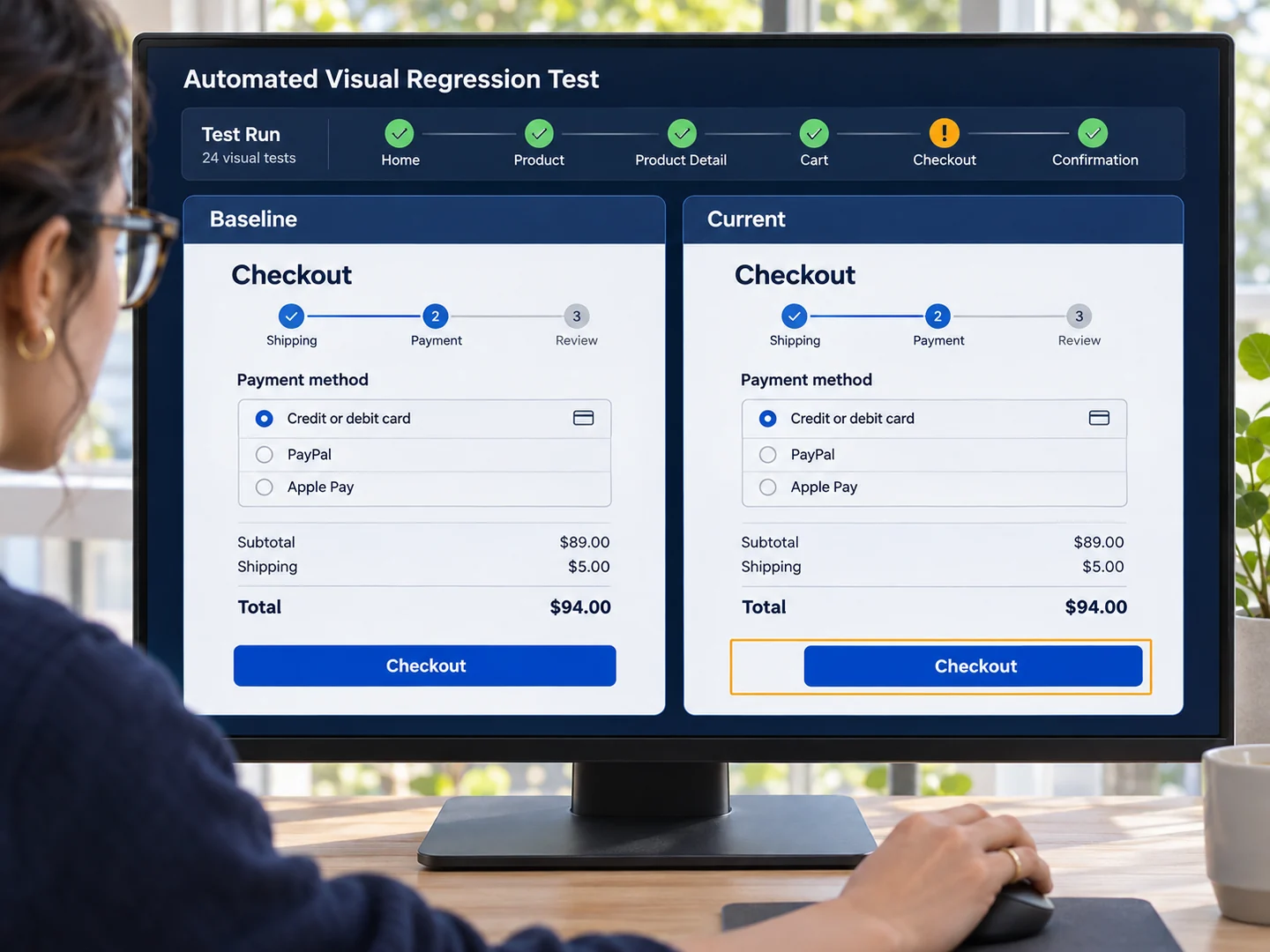
Depending on the engagement, quality visibility can include:
- Test execution status
- Regression results
- Defect trends
- Code coverage
- Build quality
- Performance indicators
- Release readiness signals
The goal is to help engineering and product teams make better release decisions.
When Should You Consider a QA Testing Partner?
You may benefit from external QA support when:
- Releases are becoming more frequent
- Regression testing is slowing development
- Manual testing is consuming engineering capacity
- Your automation suite needs to scale
- You are launching a new application
- Your product has complex integrations
- You need broader browser or device coverage
- Performance needs to be validated before scale
- Security and accessibility testing need dedicated attention
- Your current QA team needs additional specialist capacity
- You are introducing CI/CD and need testing integrated into the pipeline
You do not necessarily need a larger QA team. You need a testing strategy that matches the complexity and risk of the product.
Why TalentiFi-X.
Software quality with human judgment and automation. TalentiFi-X approaches QA as part of the product delivery system, not simply a defect-finding exercise.
Human Expertise
For exploratory testing, context, usability and judgment.
Automation
For repeatability, regression coverage and scale.
Continuous Integration
For quality checks within the development and release workflow.
Full-Spectrum Coverage
From functional requirements to performance, security, compatibility and accessibility.
Structured Execution
From discovery and strategy through automation, manual testing and CI/CD integration.

A Better Definition of Software Quality.
Quality is not simply the number of bugs found before launch.
Answering these four questions takes functional validation, non-functional testing, structural analysis, automation and human judgment.
- Functionality
- Does the software do what it should?
- Performance
- Does it perform as users expect?
- Reliability
- Does it remain reliable as it changes?
- Usability
- Does it work for the people who use it?
Keep exploring.
Talent areas
Hiring solutions
Ready to Build a Stronger QA Pipeline?
Whether you are launching a product, scaling an existing application or looking to strengthen your current testing process, TalentiFi-X can help define a QA approach around your technology stack, release model and quality objectives. Tell us about your application, team and testing requirements.